
NovorikX Support
Find setup guides, register your X Series warranty, get app help, or contact our support team.
Report an Issue
Send photos, order details, and a short description. Our team will follow up.
Start a requestChoose your product
Select your model to access guides, manuals, and troubleshooting.


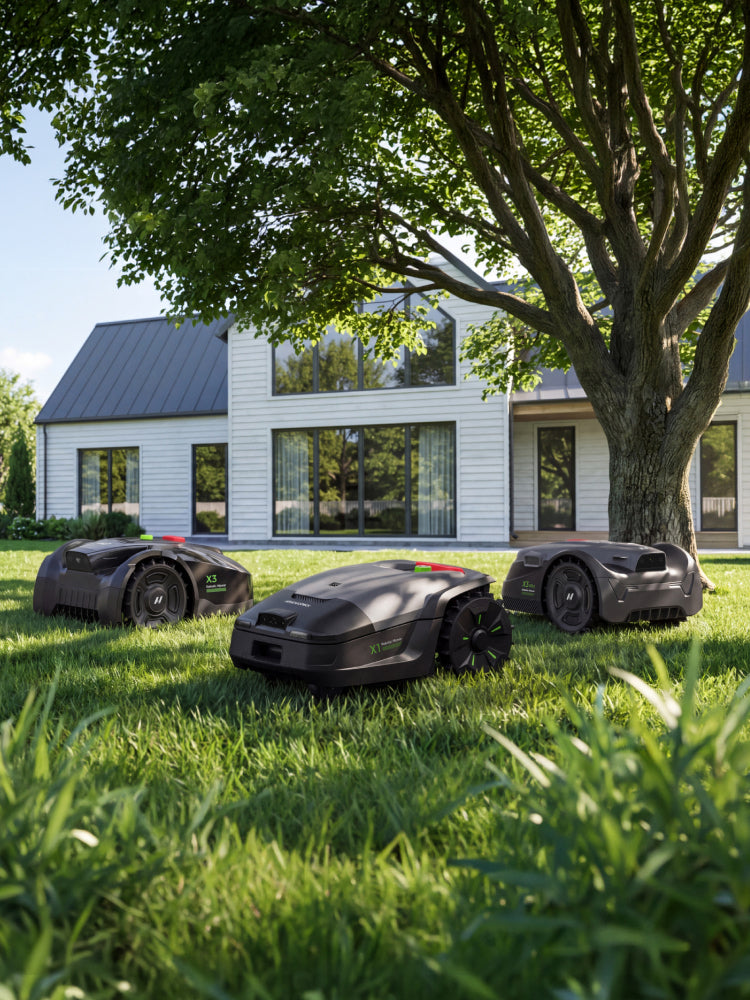
NovorikX X3 Pro
Setup, app pairing, mapping, maintenance, and warranty help for X3 Pro.
Common issues & quick checks
Start with the most common checks. If the issue continues, report it with photos or a short video.
01Mower will not start or leave dock
Confirm STOP is released, battery has charge, and dock has power. Remove obstacles, then restart.
Report this issue →02App cannot find or bind mower
Enable Bluetooth and location permissions. Ensure mower is powered on, then retry pairing.
Report this issue →03RTK signal weak or lost
Keep RTK station in place with clear sky view. Check signal in app, restart if needed.
Report this issue →04Mapping or boundary problem
Battery above 50%, RTK stable, and stations not moved after mapping. Add No-Go Zones as needed.
Report this issue →05Cutting performance or blade wear
Check blade condition and cutting height. Replace blades and screws every ~240 hours.
Report this issue →06Battery or charging issue
Check dock power and charging contacts. Let battery return to normal temperature before charging.
Report this issue →NovorikX App
Download the app, bind your mower, create maps, set schedules, manage No-Go Zones, and install firmware updates.
 Scan to download for iOS
 Scan to download for Android
What you can do in the app
- Download & account setup
- Bind your mower
- Create a map & No-Go Zones
- Schedules & settings
- Firmware updates
- App bug report
Do not move the RTK station or charging dock after mapping.
Manuals & downloads
Download the latest user manuals and setup guides for your NovorikX product.
X Series Warranty Registration
Register your product so our support team can quickly verify your model, purchase record, and coverage.
Register in 2 minutes
- Faster warranty verification
- Priority after-sales handling
- Accurate replacement-part matching
Warranty coverage is subject to the NovorikX Limited Warranty & Terms of Service. Machine and battery coverage periods may differ. Keep your proof of purchase until your support request is completed.
Warranty Registration Form
Report a product issue
Tell us what happened and upload photos or a short video. The more detail you provide, the faster we can help.
How it works
1. Submit your issue and media.
2. Our team reviews your report.
3. We confirm diagnosis and solution.
4. Approved cases are resolved by guidance, part, replacement, repair, or refund.
Our team will reply within 1 business day. Please keep your product packaging and proof of purchase until the case is resolved.
Report Form
Talk to us
Choose the fastest channel for your question.
Live Chat
Best for app setup, quick questions, and order status.